
Every Video, Translated
Right In Your Browser
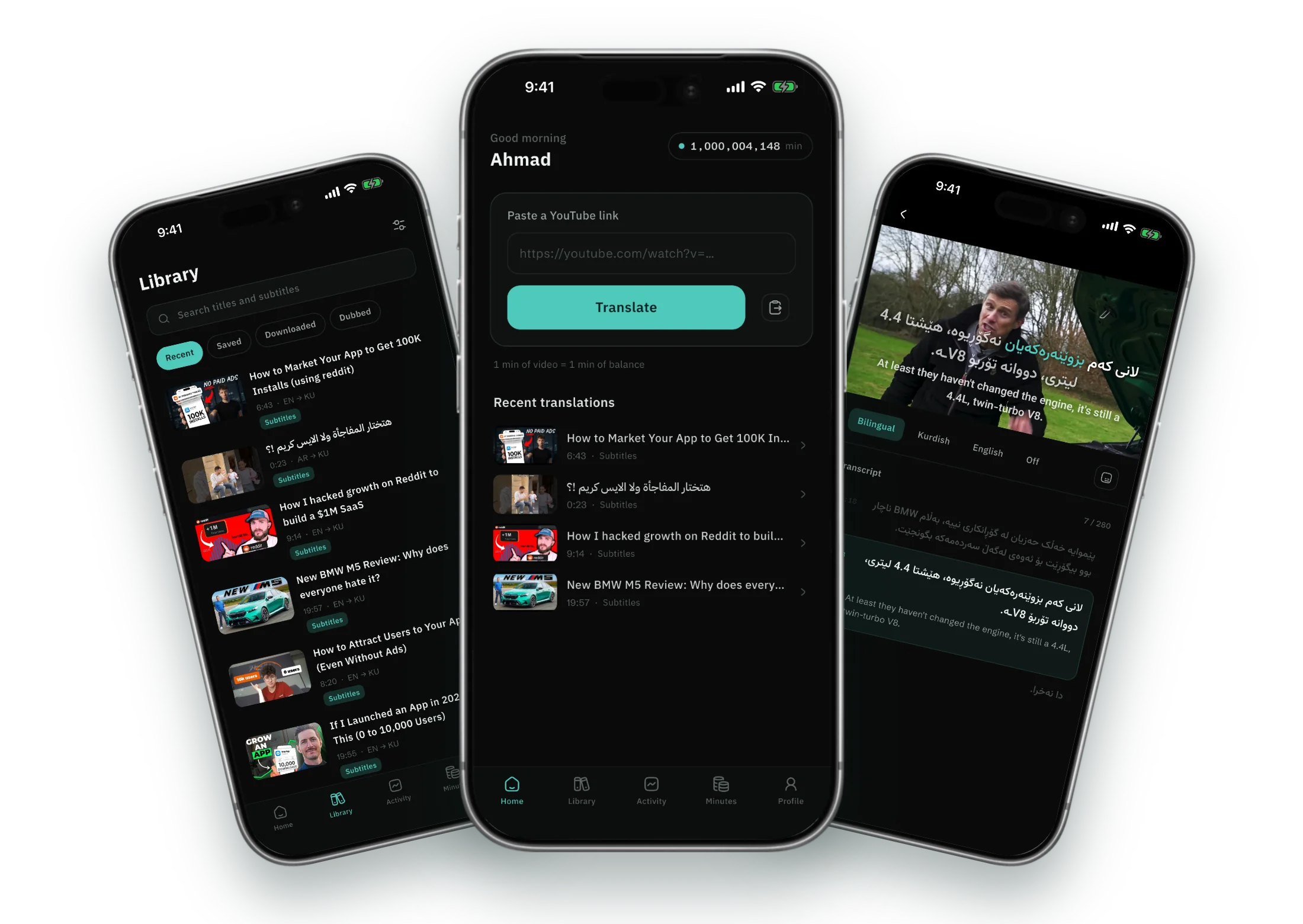
Nothing to install. Open Veyra on any computer, paste a YouTube link, and watch with subtitles in your language — on a big screen, with the transcript beside the video.
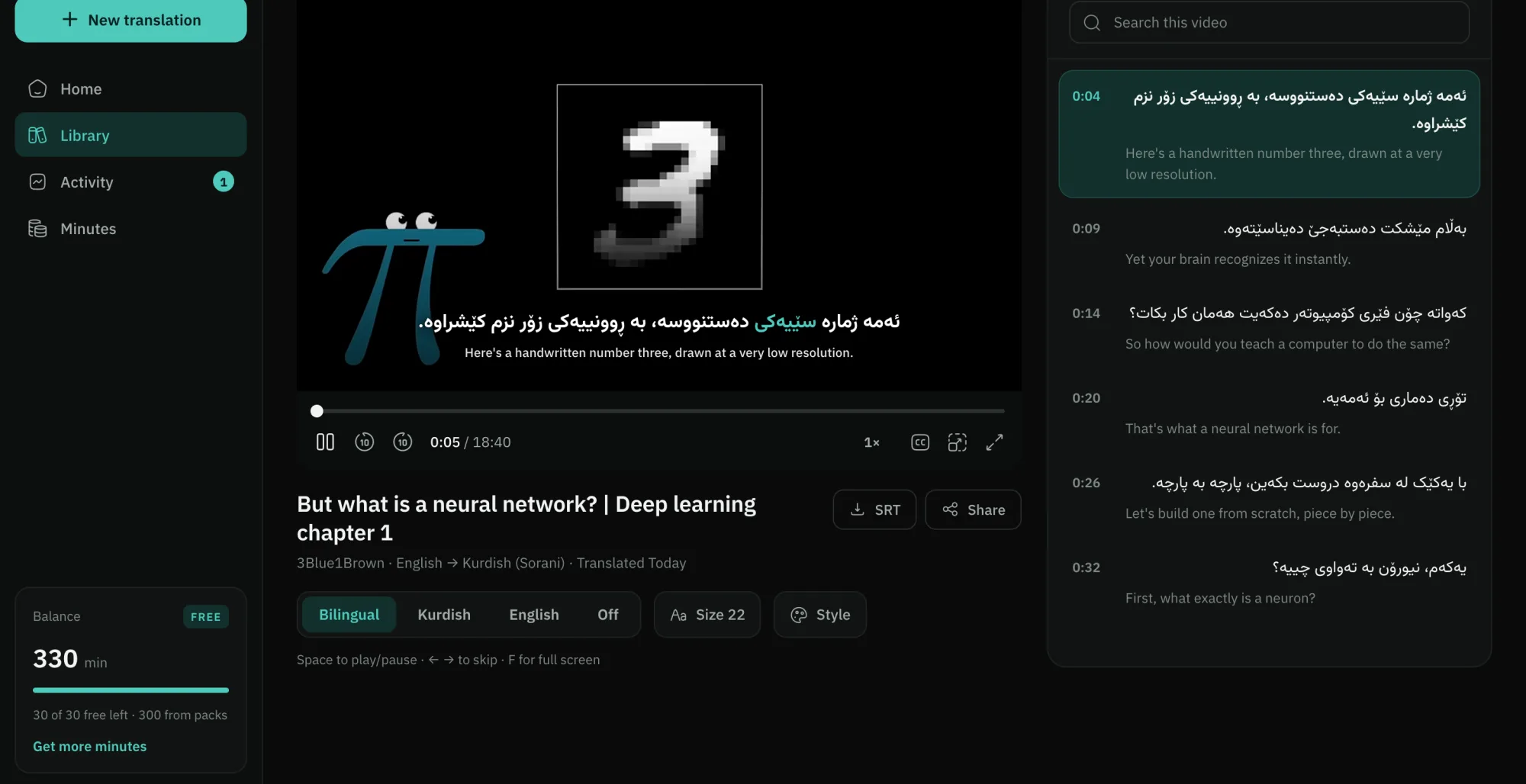
Made For A
Bigger Screen
The same Veyra as the app, with room to breathe: the player and the transcript side by side, and the keyboard at your fingertips.
Transcript Beside The Video
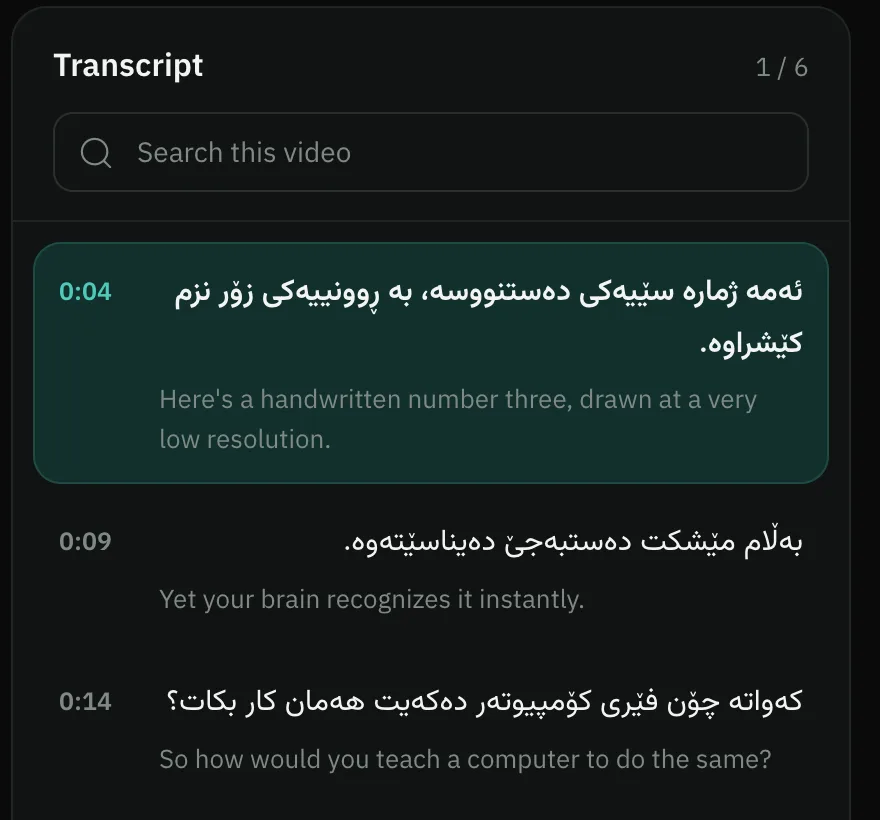
Every line in both languages, following the video as it plays. Search it, or click any line to jump there.
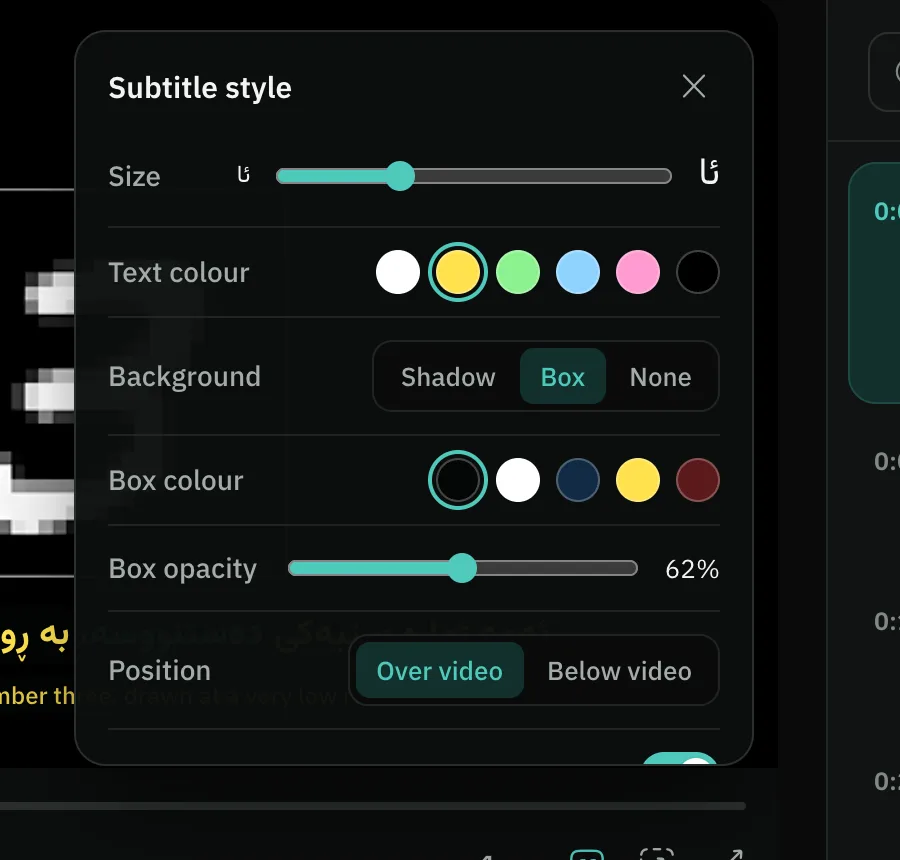
Subtitles, Your Way
Size, colour, shadow or box, over or below the picture — and a nudge for lines that arrive early or late.
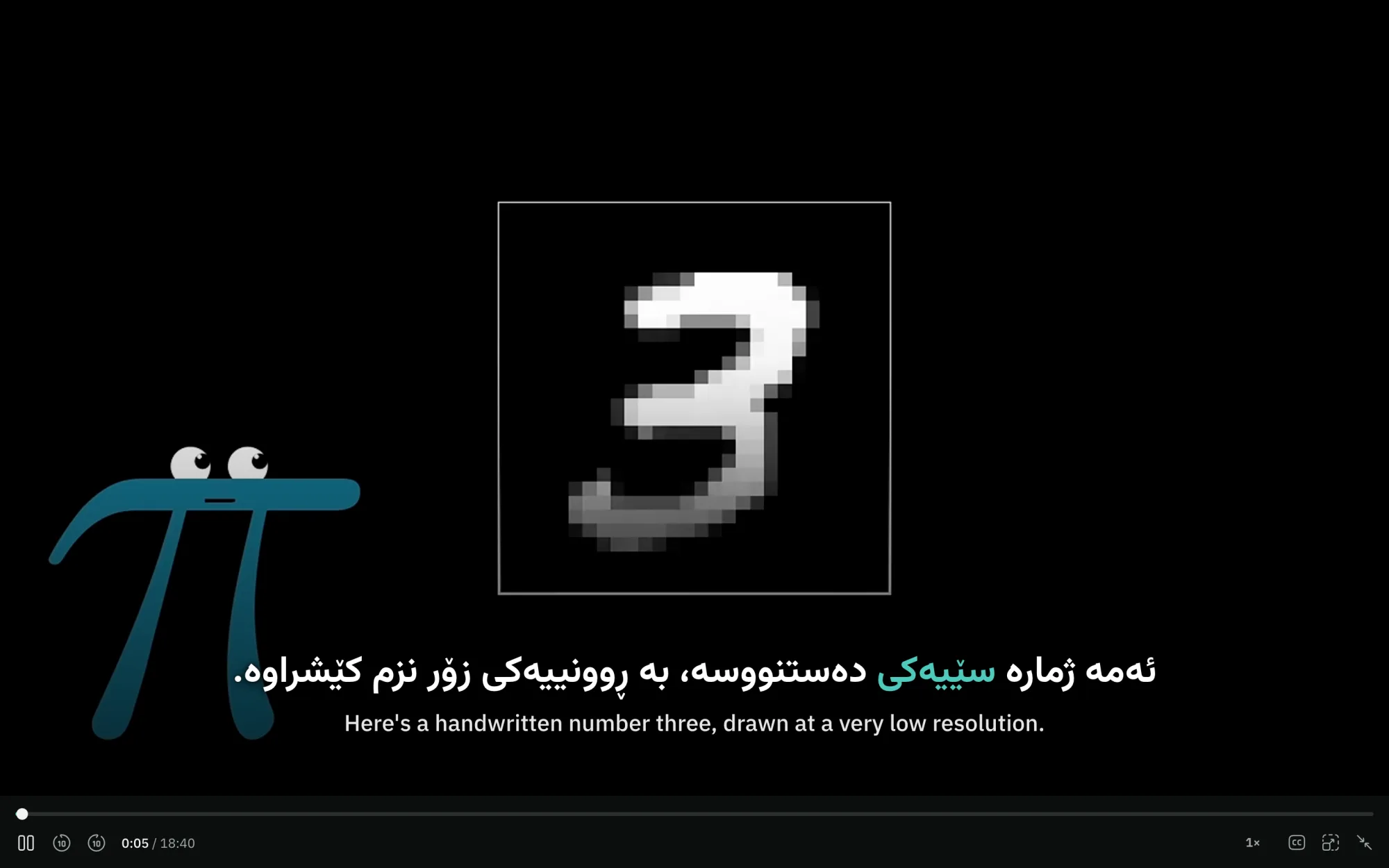
Full Screen, Subtitles Included
Press F and the whole player goes full screen, your subtitles with it, scaled to the screen.
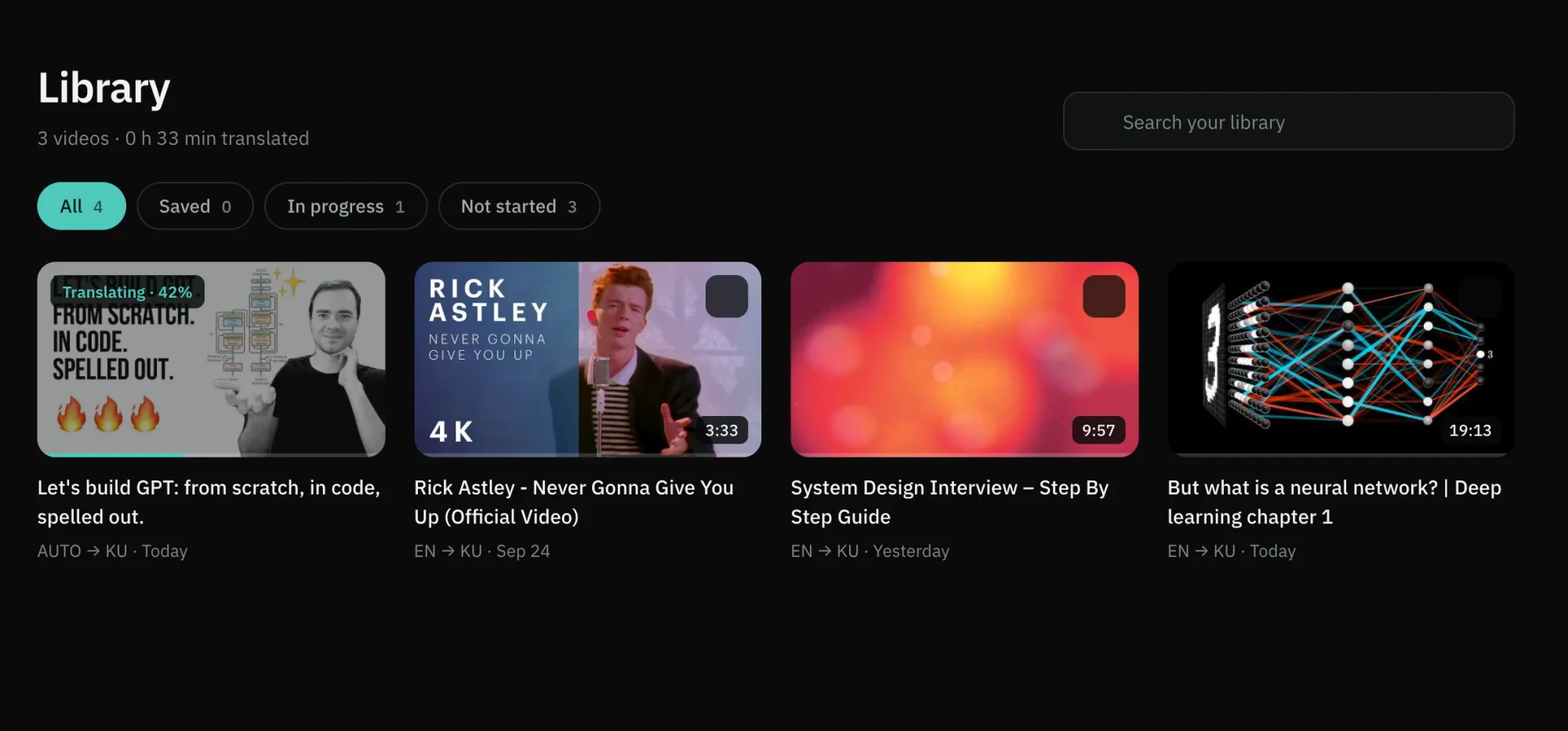
Your Library On A Big Screen
Every translation you have made, on the web and in the app, in one grid. Rewatching never costs a minute.
Keyboard First
Your hands never leave the keys. Pause to read a line, skip back to hear it again, go full screen.
Keep The Subtitles
Download any translation as an SRT file, timed to the video, for your own player or your notes.
00:00:04,000 --> 00:00:09,000ئەمە ژمارە سێیەکی دەستنووسە
From A Link To A Translated Video
In Three Steps
Sign in with Google or Apple — the same account as the app — and go.
Paste A YouTube Link
From Any Tab
Copy a link from YouTube and paste it into Veyra. The title, channel and exact length come up straight away.
Get started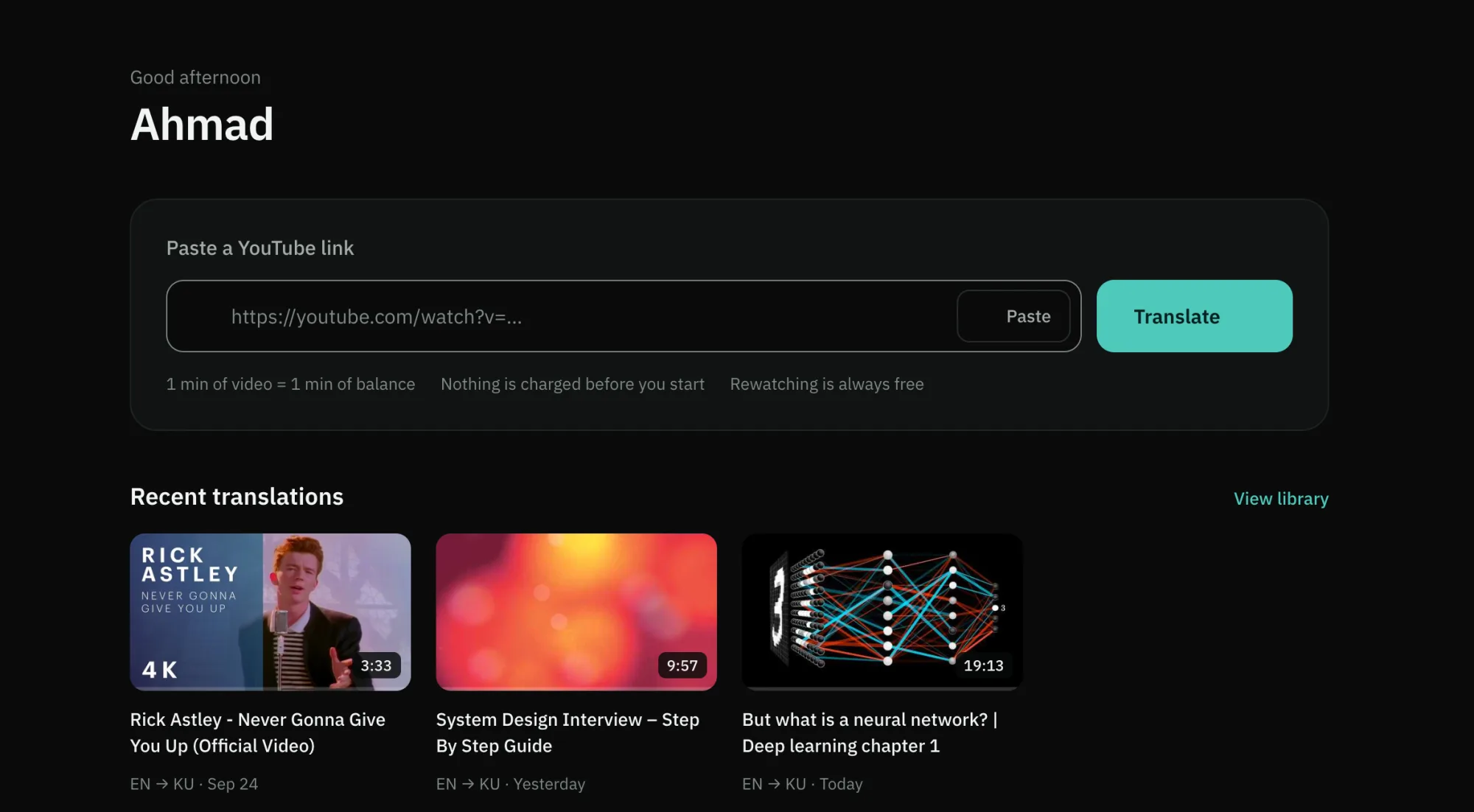
Choose Your Language
And See The Exact Cost
The spoken language is detected for you. Pick the one you think in and see precisely how many minutes it takes — nothing is charged before you start.
Get started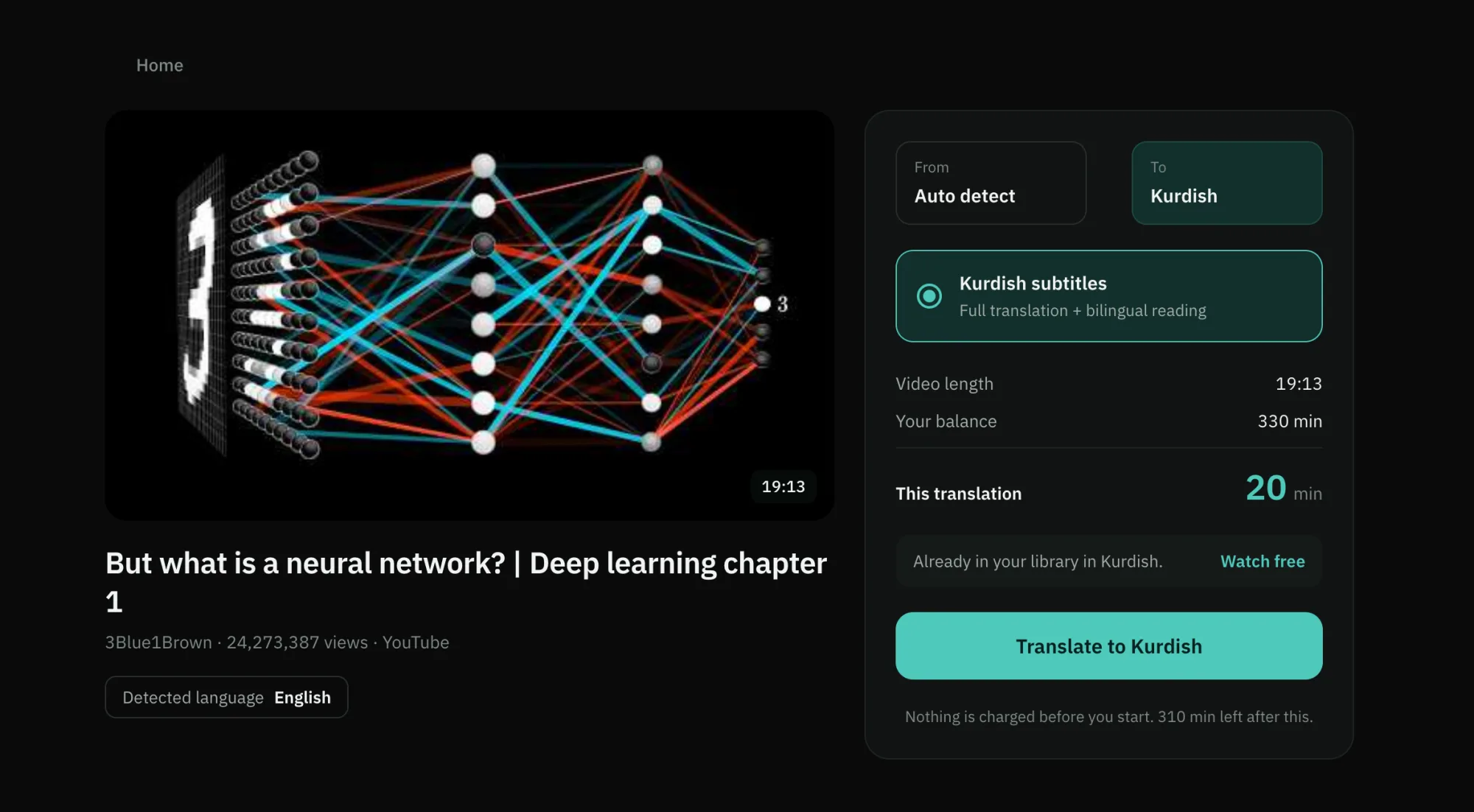
Watch With Subtitles
Bilingual, Or Just Yours
The video plays with your language and the original line together, the spoken word lit as it goes, and the transcript alongside.
Start watching
Heard From
People Using Veyra
What people wrote to us after watching their first translated video.
Wishing you all the best and lots of success!
it was really unique, and it gives such a beautiful feeling
Honestly, I really, really loved it. I’m seriously considering activating it because there were so many amazing podcasts on YouTube that weren’t available in Kurdish, so I couldn’t watch them. But thanks to your app, I was actually able to enjoy them, and that genuinely made me so happy 🥹🥹🥹
It was very good and exceptional. Thank you for your hard work.
Honestly, the subtitles are really good, and the quality is beyond words. This is the first time I’ve seen such an exceptional and high-class app. Seriously, it truly deserves to be used by everyone.
Wowwww, this is so, so good! I didn't believe it at first, but then in just two minutes the whole video was translated! 👏🏻👏🏻👏🏻 Thank you so much!
Pay Once.
Minutes That Never Expire.
On the web there is no subscription. Buy a pack of minutes when you need it — 1 minute of video uses 1 minute of balance, and rewatching is always free.
Pay Only For What You Translate.
Nothing is charged before a translation starts. If something fails, those minutes go straight back to your balance.
Questions, Answered
Everything about using Veyra in the browser. Anything else — ask us.
Do I need to install anything?
No. Veyra runs in Chrome, Safari, Edge and Firefox on any computer, and in your phone's browser too. Open it, sign in, paste a link.
Is it the same account as the Veyra app?
Yes. Sign in with the same Google or Apple account and your library, translations and minutes are all there — on the web and on iPhone alike.
How do I pay?
Minute packs are a one-time payment through Wayl's secure checkout, by card. Prices are shown in US dollars. There is no subscription on the web and nothing renews.
Do minutes expire?
Pack minutes never expire. Your first 30 minutes are free, once, and never expire either. Watching and re-reading a translation you already have is always free.
What if a translation fails?
The minutes it would have used go straight back to your balance, automatically. You only pay for translations that finish.
Can I get a monthly plan here?
Monthly plans are sold in the Veyra app for iPhone. A plan you have there works on the web as well — your monthly minutes are the same minutes.
Which videos can I translate?
Any public YouTube video with speech in it. A video whose owner blocks playback outside YouTube can still be translated, but has to be watched on YouTube.
Every Video.
Your Language.
Open Veyra in your browser and try it free. Nothing to install.